Design & deploy Capacity Max networks in a fraction of the time.
CapMax is a Windows desktop assistant that takes a Capacity Max DMR project from a blank page to deployment-ready files — sites, hubs, licensing, topology, router/switch CFGs and PKI certificates — all built on the official Capacity Max System Planner rules.
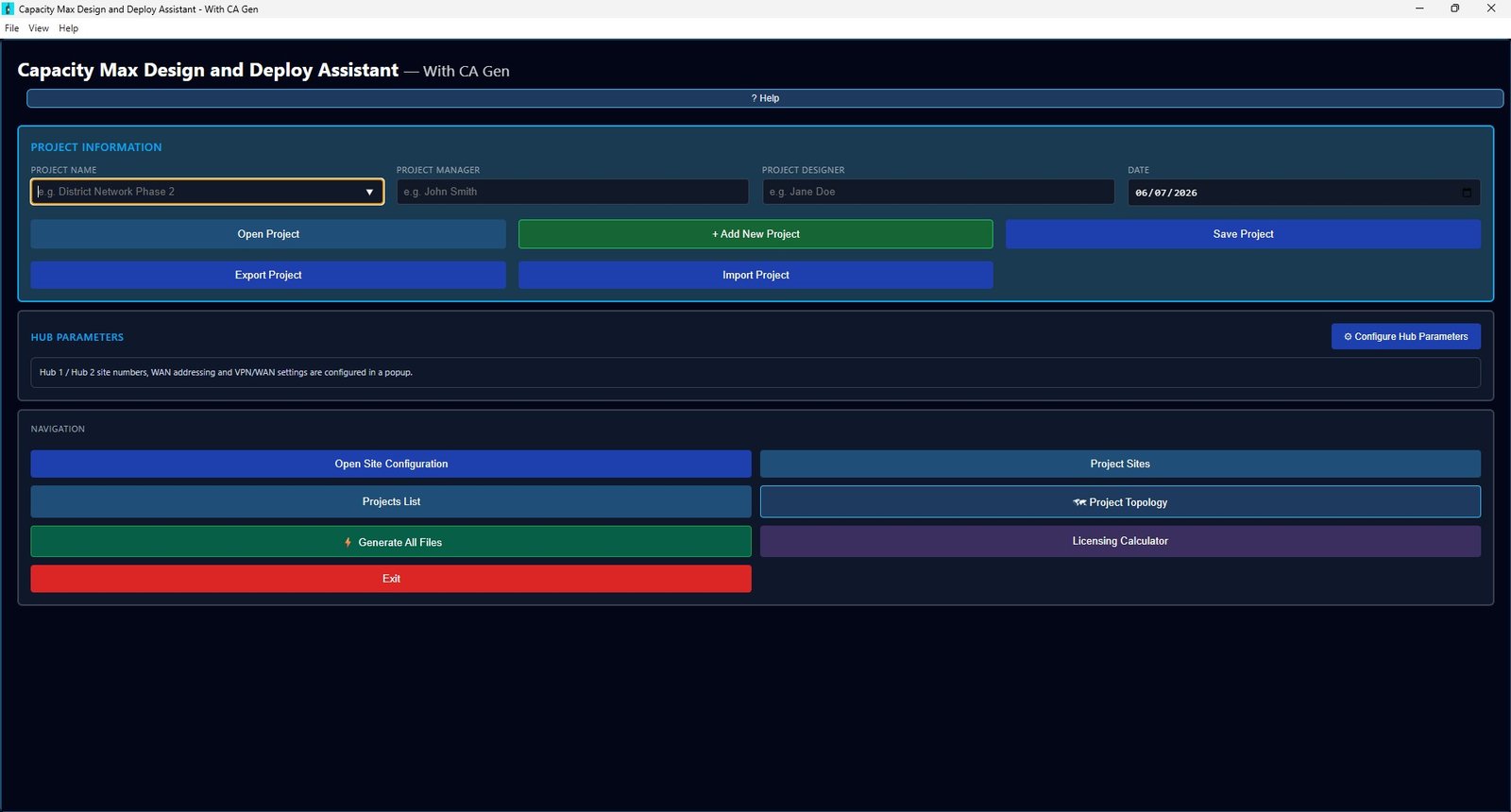
The full Capacity Max design workflow, without the spreadsheets
CapMax replaces scattered planner spreadsheets, manual CLI editing and guesswork with a single, guided application.
Project & site management
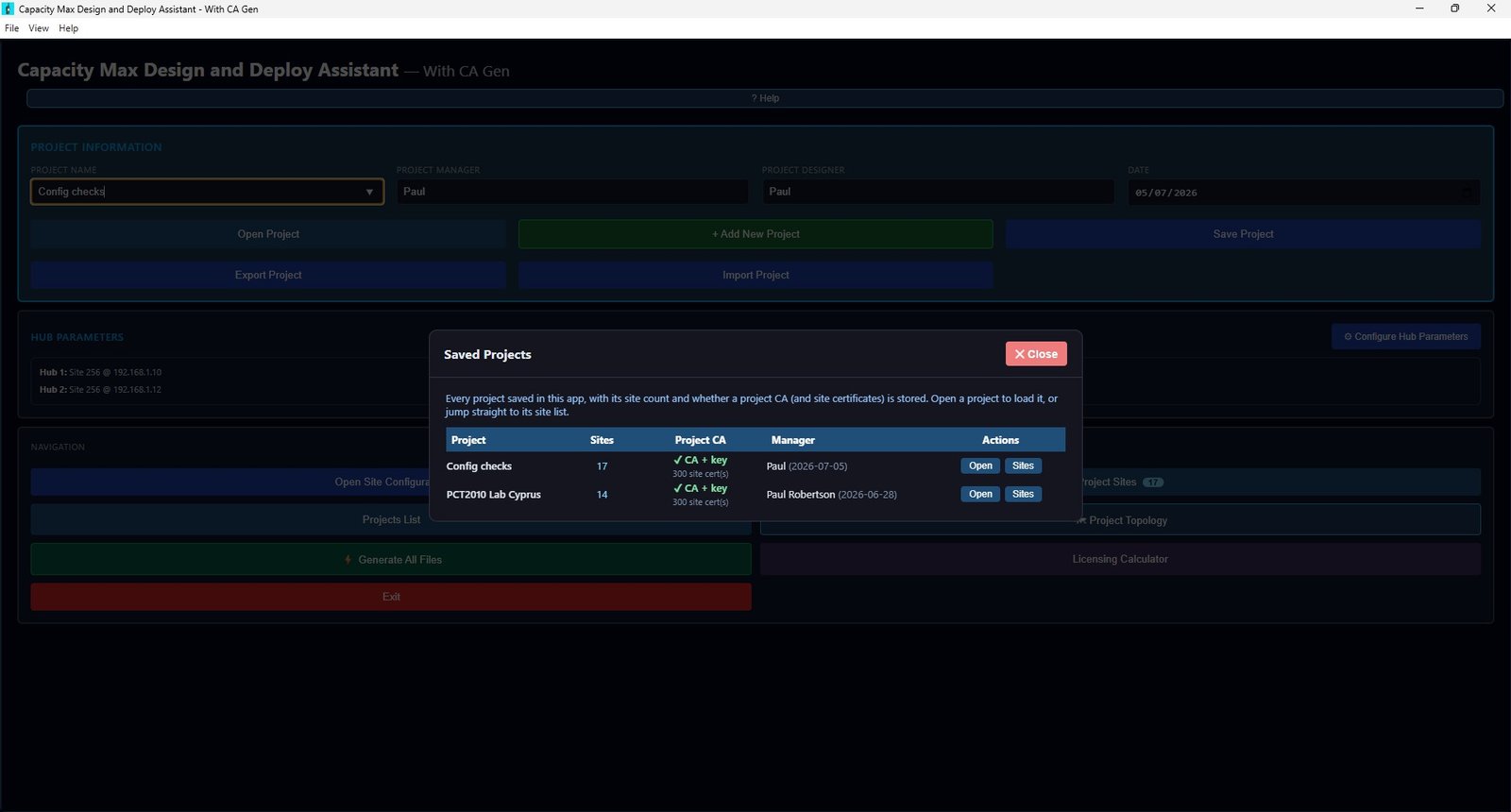
Create, save, import and export complete projects. Add unlimited sites, each with repeaters, site type, CMSS device IDs and redundancy — all tracked in one place.
Licensing calculator
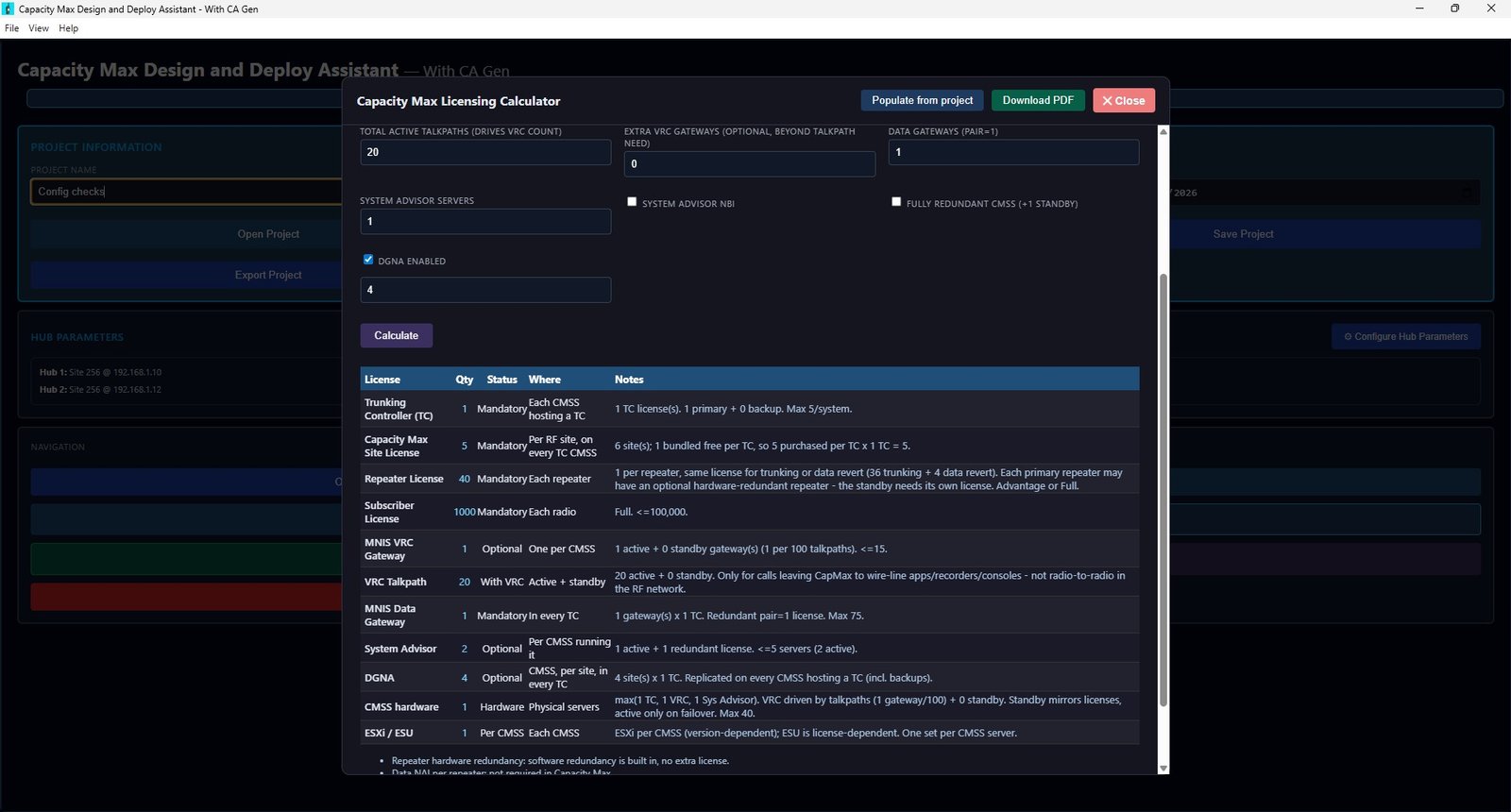
Enter your quantities — or auto-populate from the project — and get exact TC, Capacity Max, repeater, subscriber, MNIS, VRC, DGNA and hardware licence counts straight from the System Planner rules.
Interactive network topology
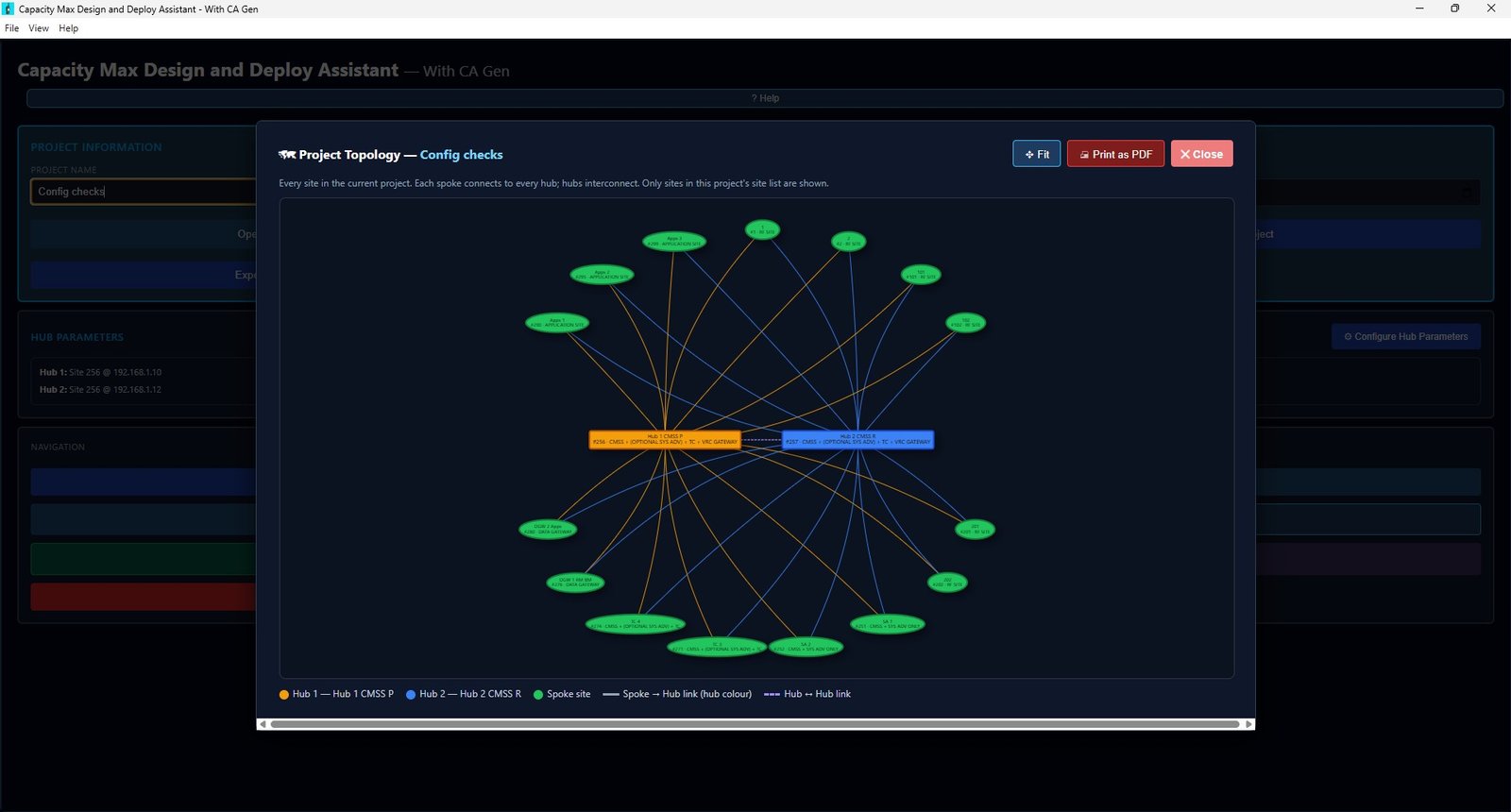
Auto-drawn topology with colour-coded VLANs, primary/redundant repeaters, tunnels and gateways. Export to SVG, PDF or Excel for design reviews and as-builts.
One-click config generation
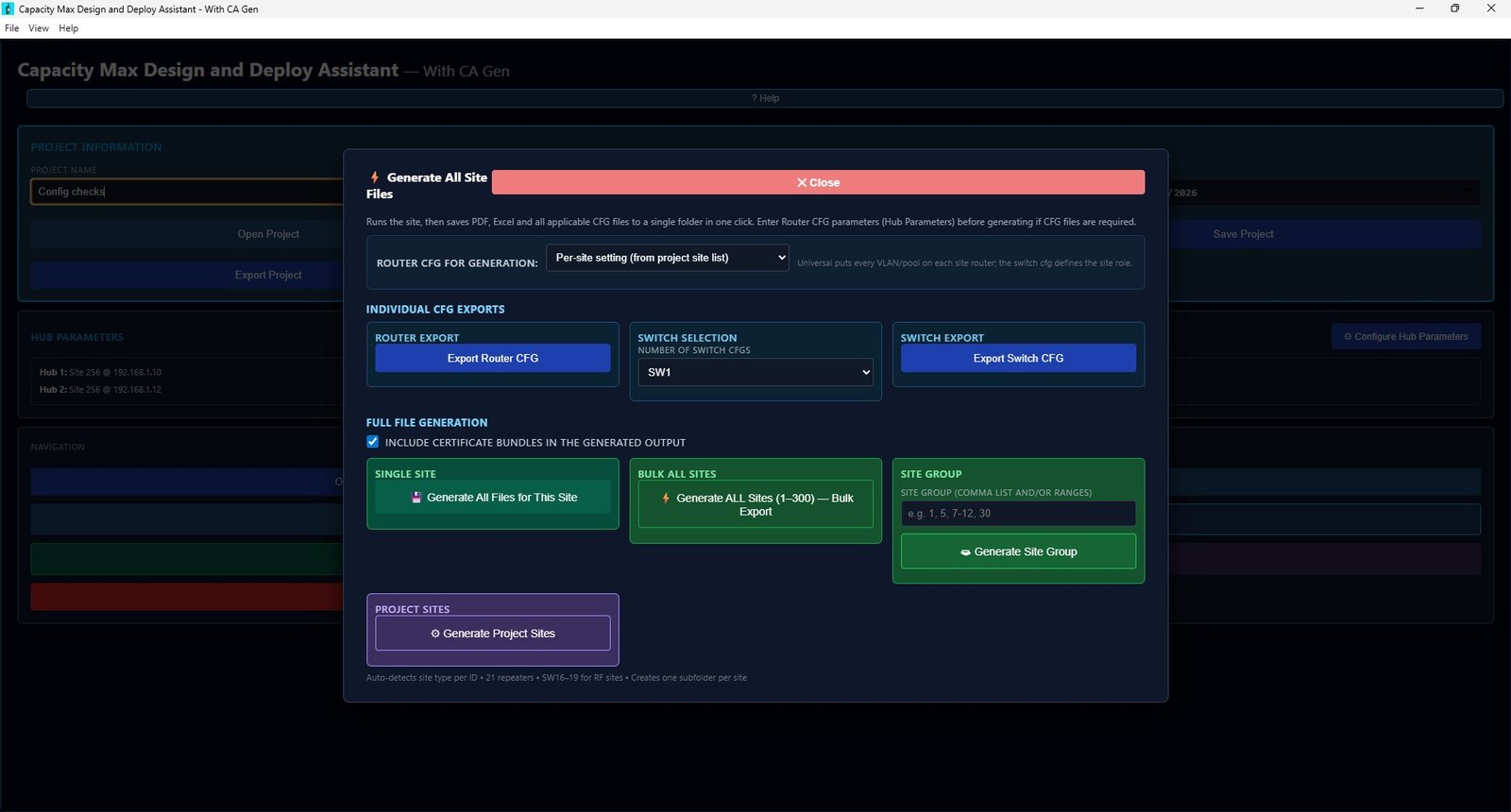
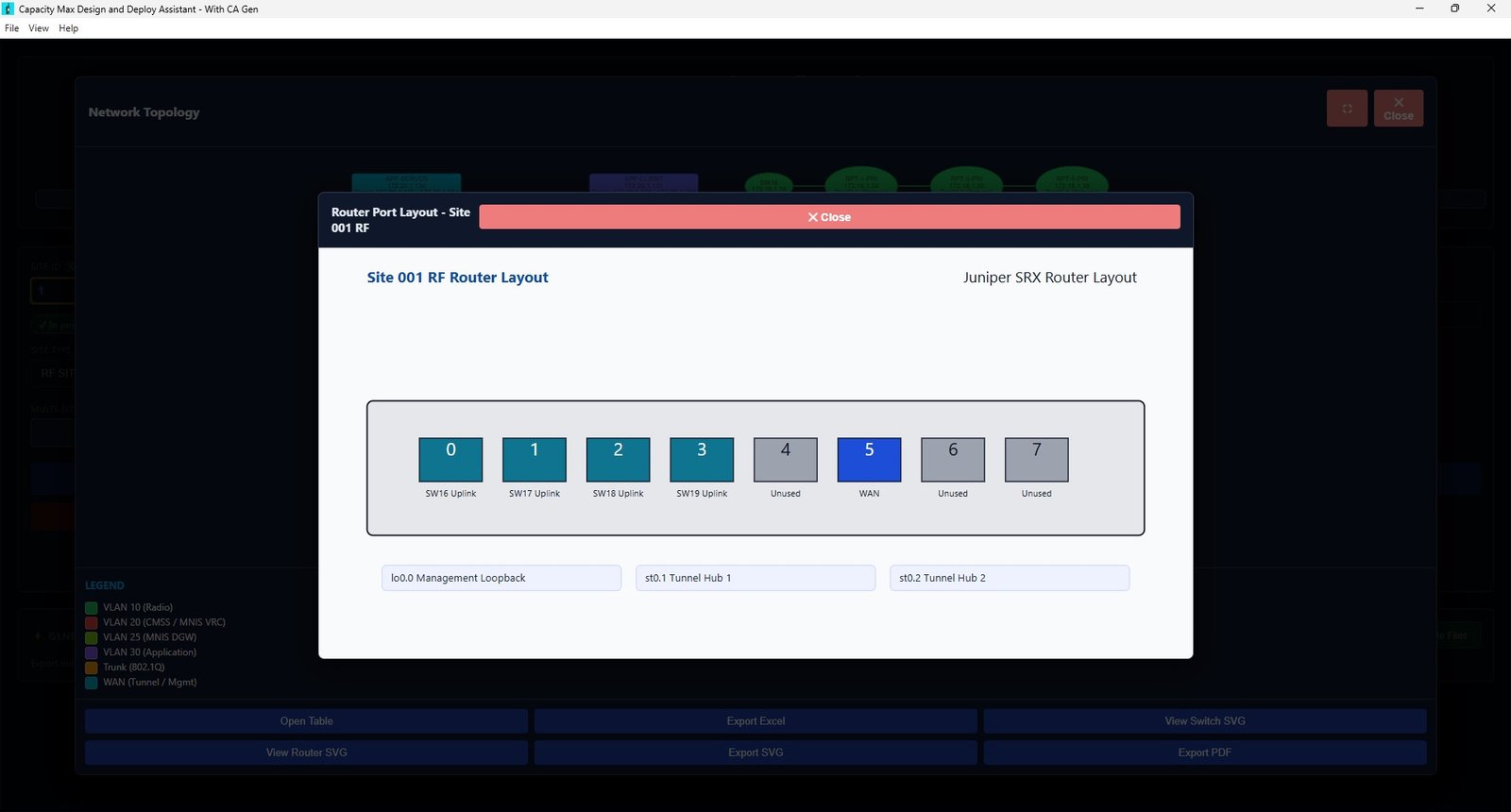
Generate deployment-ready Juniper router and switch CFGs per site — single site, a custom site group, or bulk export every site (1–300) into neatly foldered output in one click.
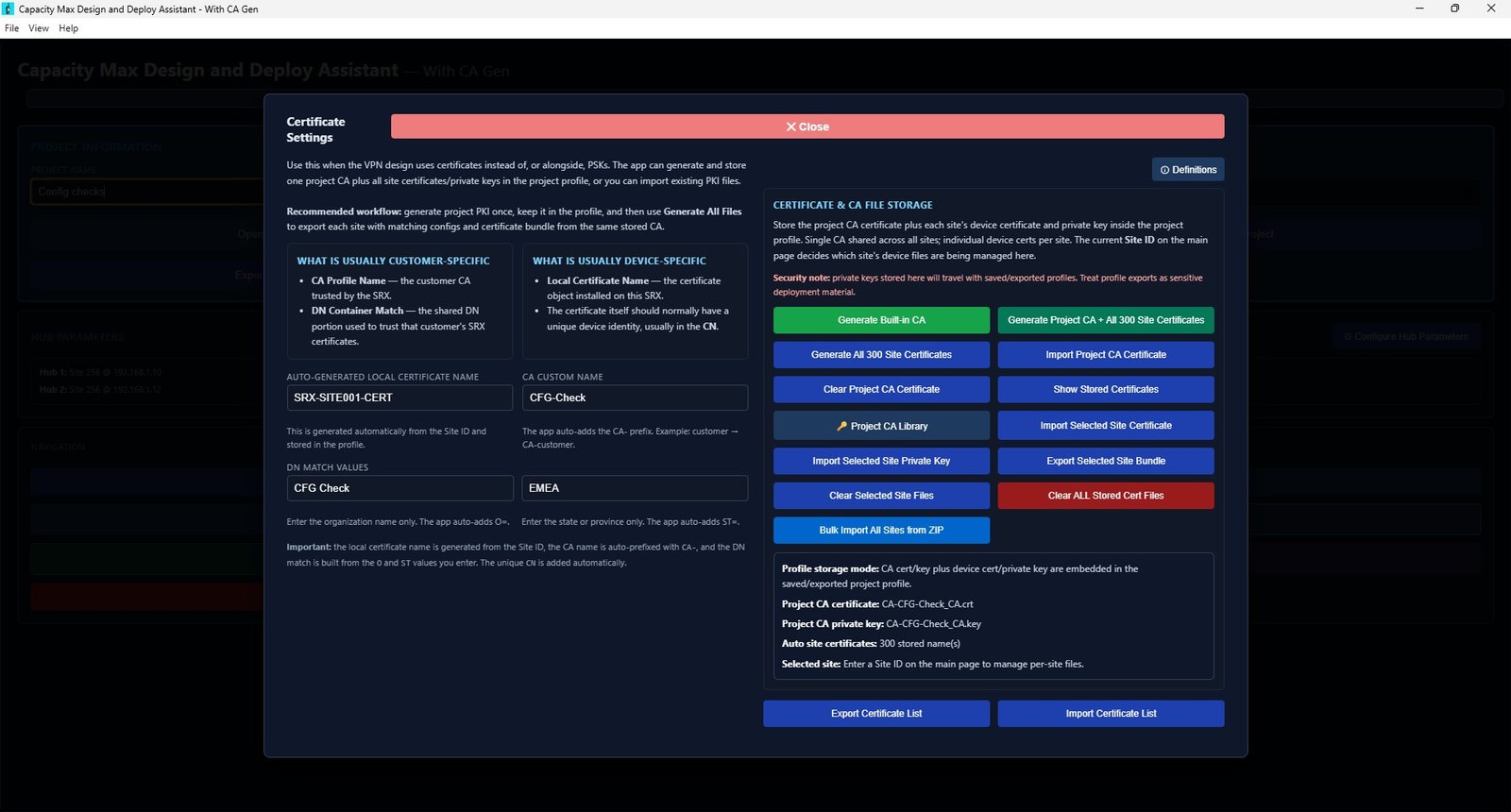
CA Gen — PKI & certificates
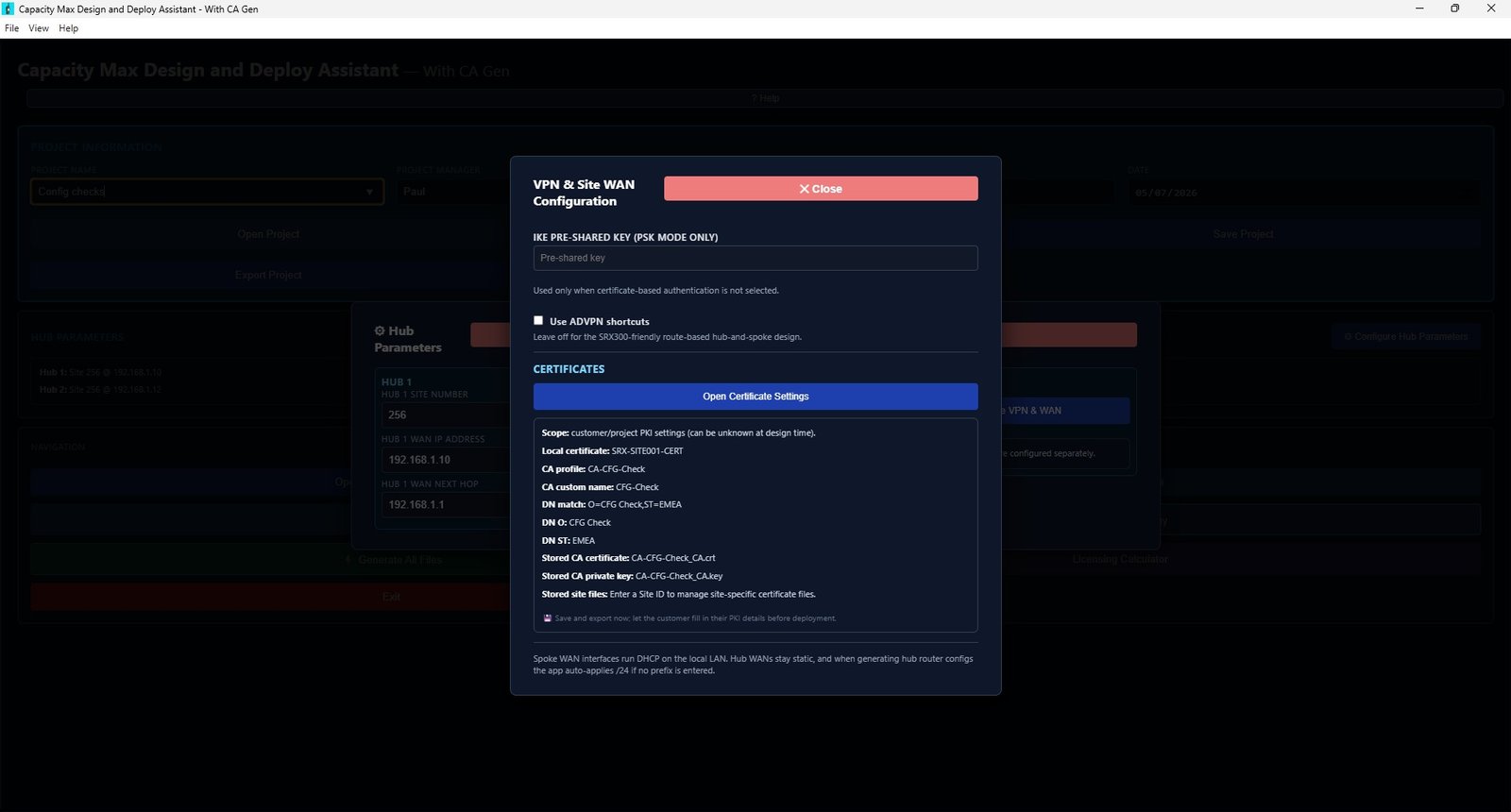
Generate a project CA plus device certificates and private keys for every site, or import existing PKI. Manage IKE pre-shared keys, DN matching and certificate bundles for IPsec VPNs.
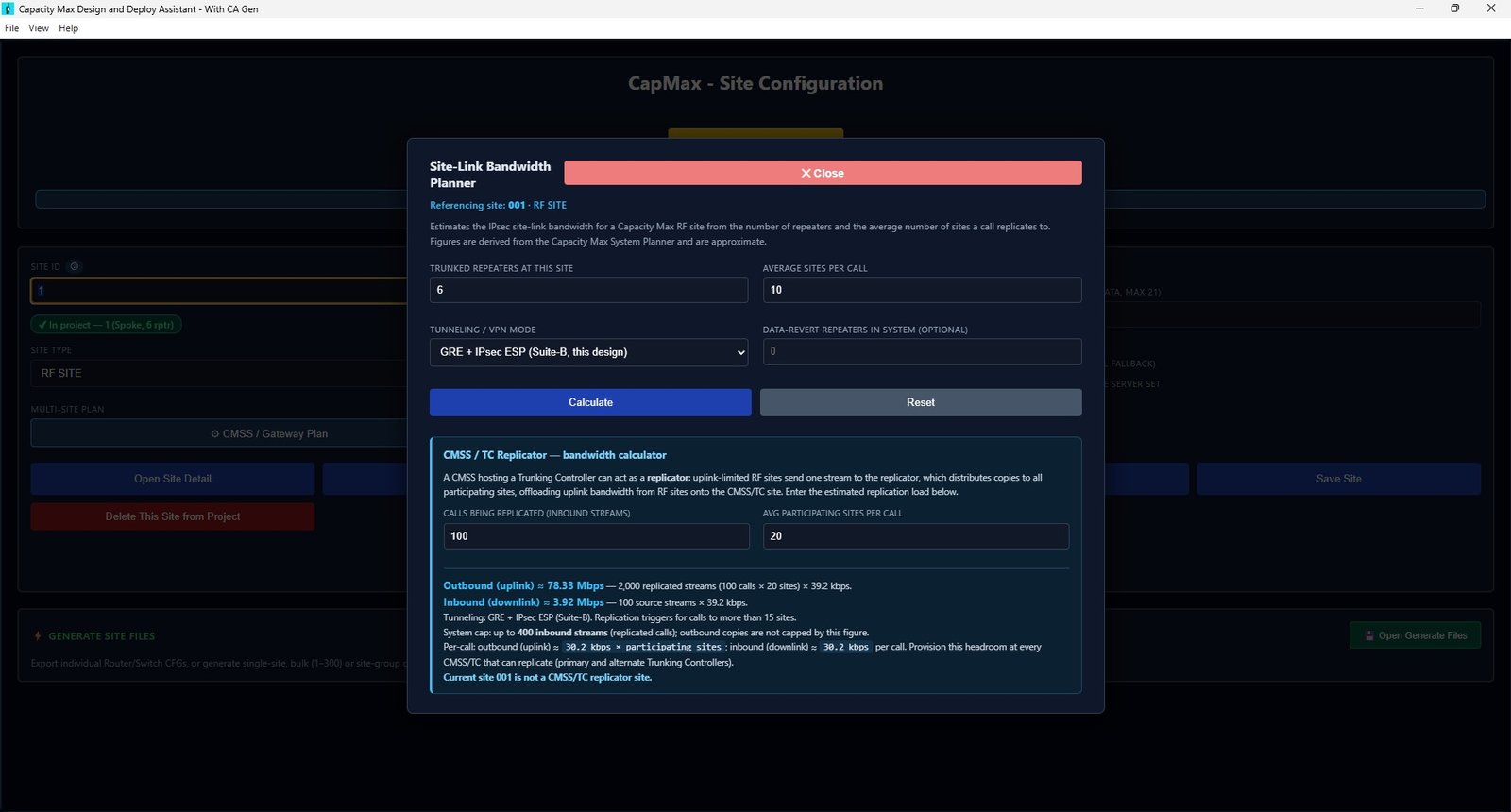
Bandwidth planner
Estimate IPsec site-link bandwidth from repeater counts and call replication, including CMSS/TC replicator uplink and downlink loads — figures derived from the System Planner.
Hub & WAN parameters
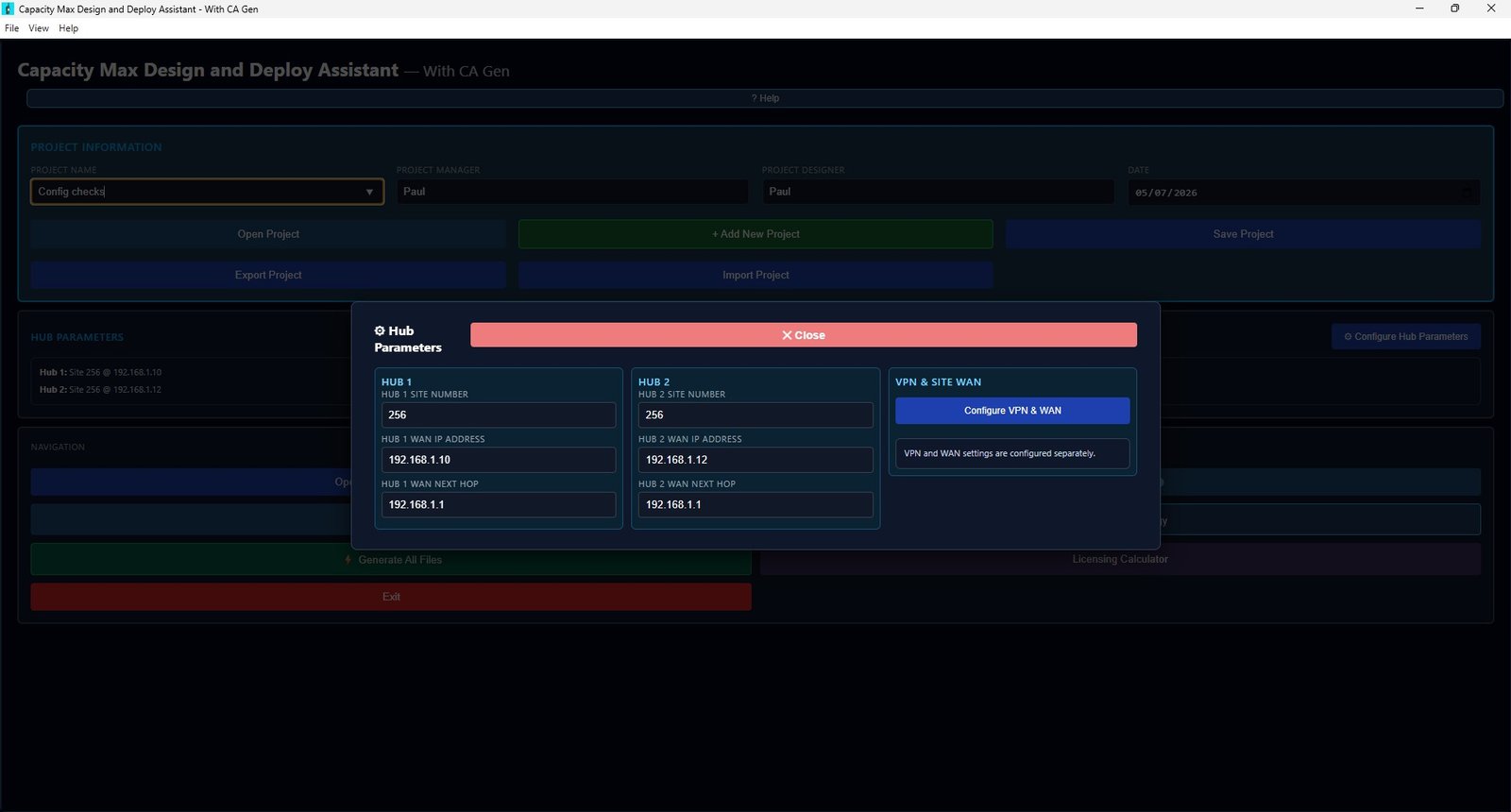
Configure Hub 1 / Hub 2 site numbers, WAN addressing, next-hops, VPN mode and ADVPN options once — CapMax applies them consistently across every generated site config.
PDF & Excel documentation
Produce professional site sheets, IP address tables, licensing summaries and UI input records — ready to hand to customers, installers or auditors.
Offline & repeatable
Runs entirely on your machine — no cloud, no data leaving your network. Standardise designs across your team and reproduce them consistently every time.
From blank project to deployment files
Every screen is built around how Capacity Max is actually designed and deployed in the field.
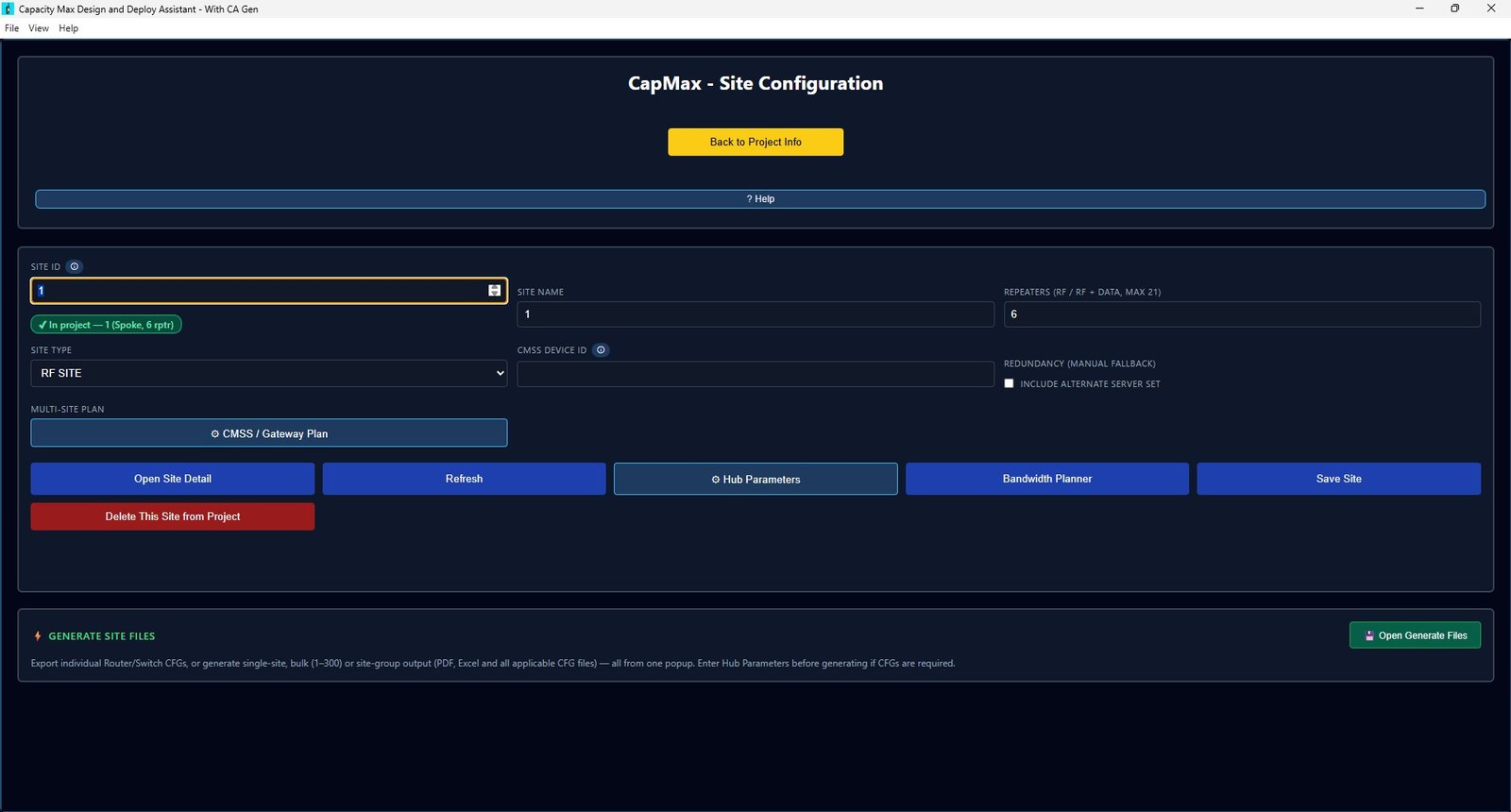
Configure each site the way Capacity Max expects
Define the site ID, name, site type and repeater count (RF or RF+data, up to 21), assign CMSS device IDs and set manual-fallback redundancy — with inline validation against the project.
- RF, data-revert and multi-site roles
- Alternate server set for redundancy
- CMSS / gateway planning built in
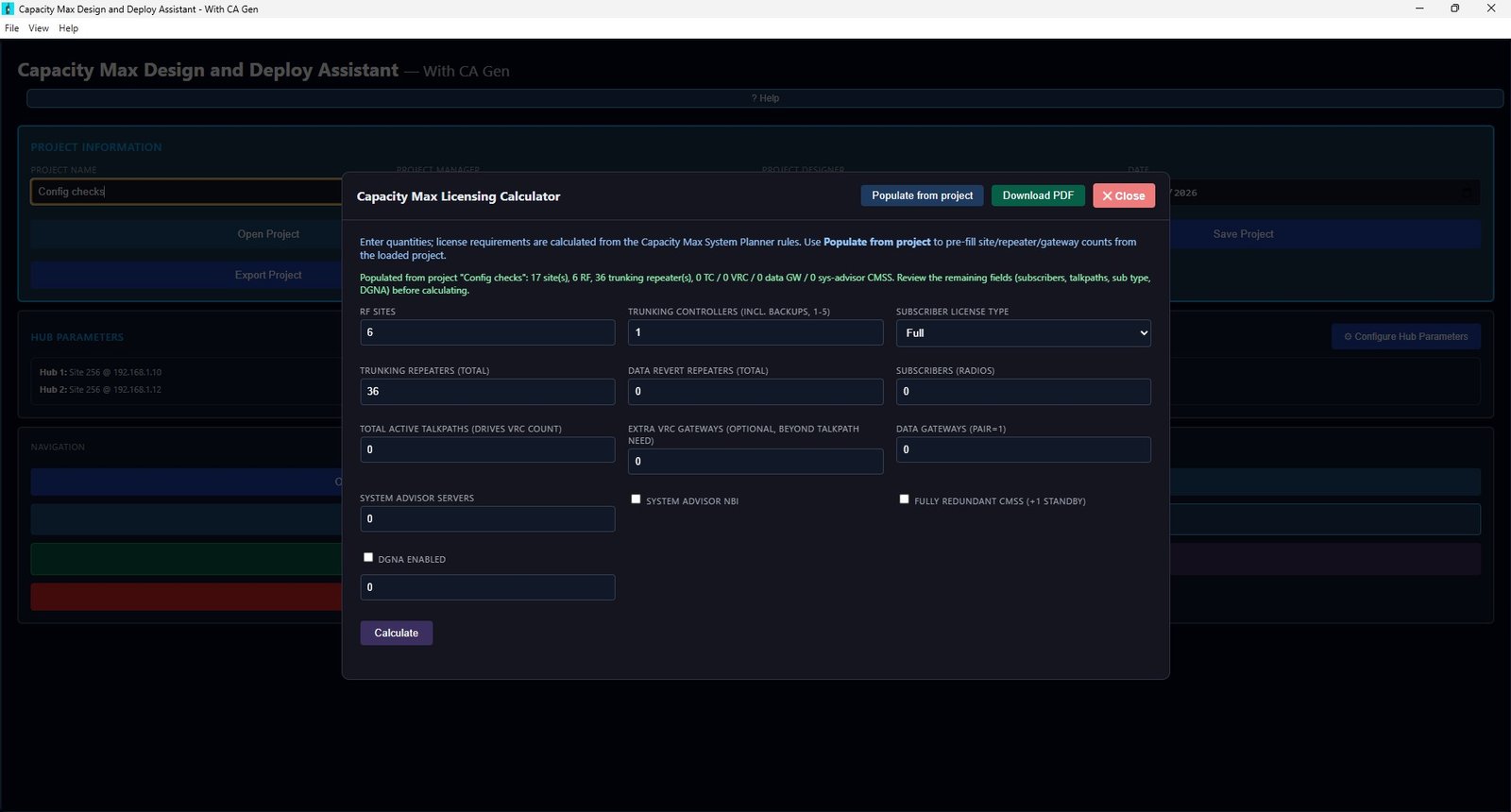
Get the licence count right the first time
Populate site, repeater and gateway counts straight from your project, then let CapMax apply the Capacity Max System Planner rules to produce a full, itemised licence breakdown — with the reasoning shown for every line.
- TC, Capacity Max, repeater & subscriber licences
- MNIS VRC, VRC talkpath, DGNA & System Advisor
- Download the full breakdown as a PDF
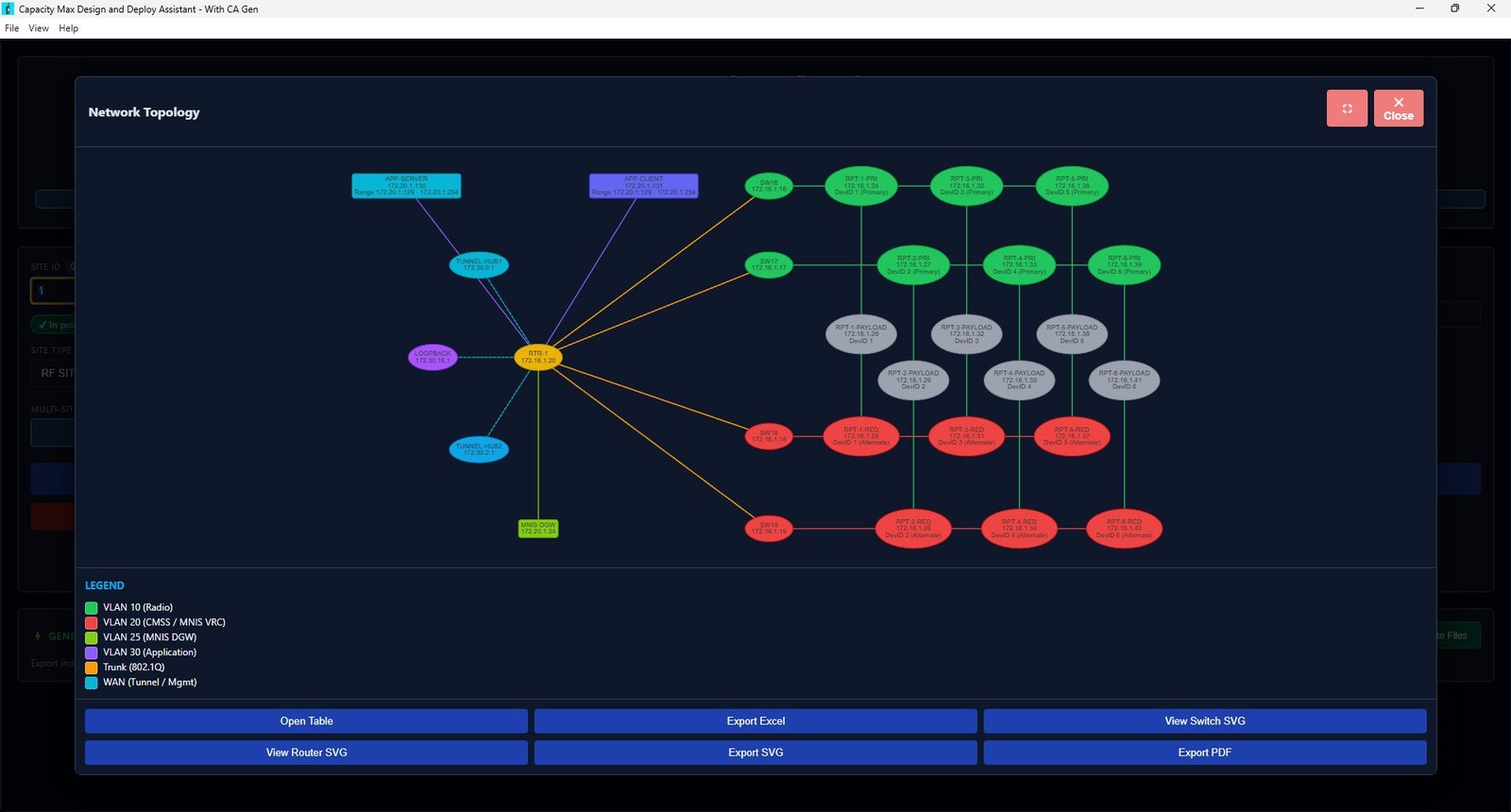
See the whole system before you build it
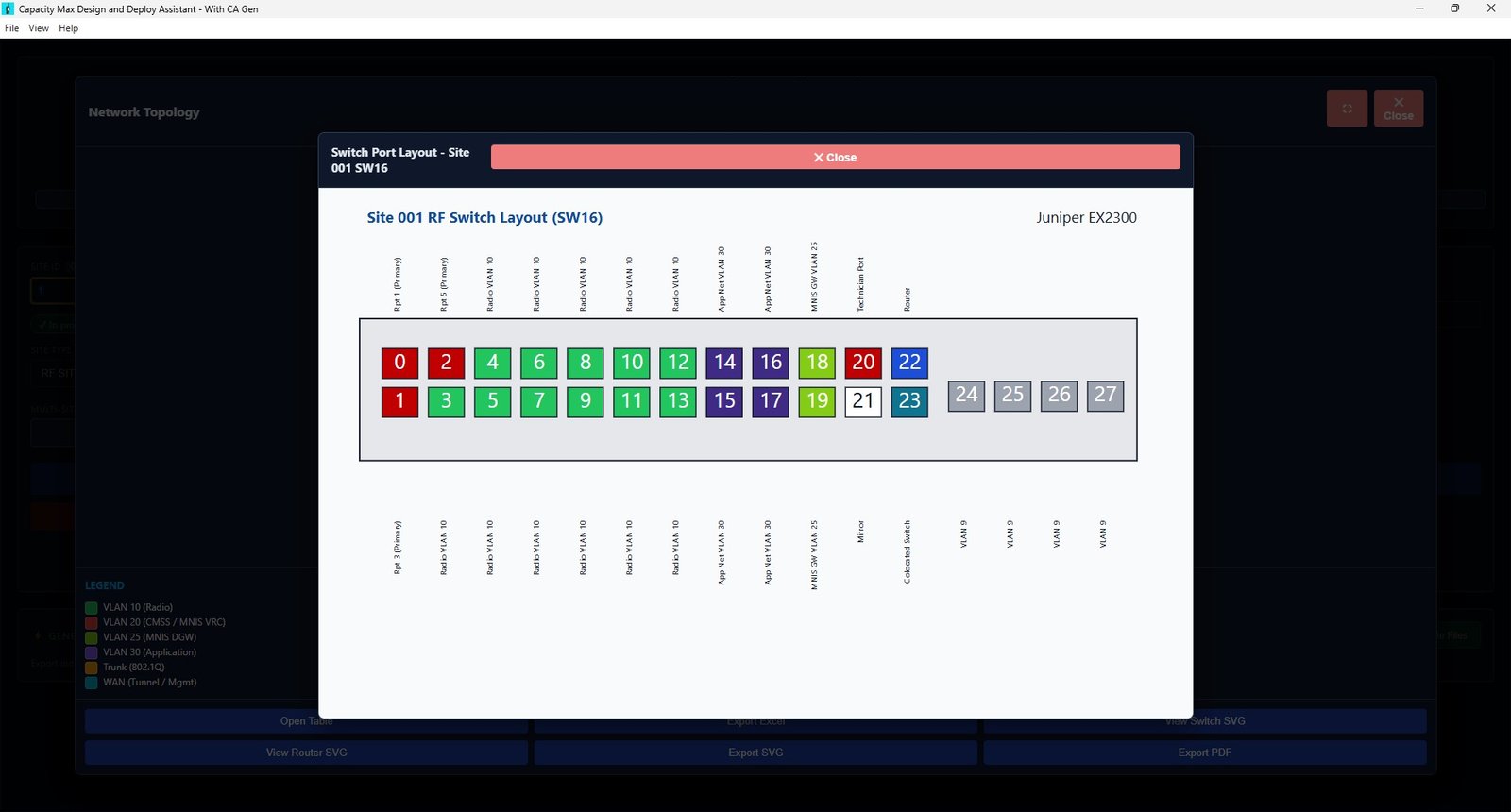
CapMax renders your entire site — routers, switches, primary and redundant repeaters, tunnels, application servers and gateways — as a colour-coded VLAN topology you can export for reviews and documentation.
- VLAN colour legend (radio, CMSS, MNIS, app, trunk, WAN)
- Router and switch SVG views
- Export to SVG, PDF, Excel or a data table
Deployment-ready configs in one click
Export a single site, a custom site group, or bulk-generate every site from 1–300 at once. Router and switch CFGs, certificate bundles, PDFs and Excel all land in one tidy folder per site.
- Per-site or universal router CFG modes
- Optional certificate bundles in the output
- Auto-detects site type and switch roles
How CapMax works
Create the project
Enter project, manager and designer details, then set your Hub 1 / Hub 2 WAN and VPN parameters once.
Add your sites
Configure each RF or data site — repeaters, type, CMSS IDs and redundancy — with live validation.
Check licensing & topology
Run the licensing calculator and review the auto-drawn topology and bandwidth estimates.
Generate everything
Export router/switch CFGs, certificates, PDFs and Excel for one site or all 300 in a single click.
A closer look
Click any screen to enlarge.
Built for the people who deploy Capacity Max
System integrators
Turn a bill of materials into consistent, deployment-ready site configs and documentation across every project you win.
RF & network engineers
Skip the manual CLI editing and spreadsheet licensing maths — design faster and eliminate copy-paste mistakes.
Motorola channel partners
Quote licensing accurately and present professional topology and site documentation that wins customer confidence.
One simple, perpetual licence
Buy once, own it forever. No subscriptions, no per-project fees.
CapMax
Capacity Max Design & Deploy Assistant — full edition with CA Gen.
One-time payment · machine-based licence (one activation per device)
- Every feature — projects, sites, licensing, topology & CA Gen
- Unlimited projects and up to 300 sites each
- Router / switch CFG, certificate, PDF & Excel generation
- Free updates included
- One free machine transfer every 2 years (on breakage)
- Runs fully offline on your machine
- Email support from DMR Tech Consult
Secure checkout with PayPal · pay by PayPal balance or card
Ready to design your next Capacity Max system?
Buy CapMax today, or request a live walkthrough and we'll show you a full project generated end-to-end.
Questions, answered
What exactly does the licence cover?
One perpetual, machine-based licence activates CapMax on a single device. It never expires and includes free updates. Need it on more machines? Buy an additional licence per device, or contact us for volume pricing.
Is the €200 a one-time payment?
Yes. It's a single one-time payment — no subscription and no recurring fees. You own that machine's licence permanently.
What are the system requirements?
CapMax is a Windows desktop application and runs entirely offline. Once activated, no project data leaves your machine or network.
Is the licensing calculator accurate for real quotes?
The calculator applies the rules from the Capacity Max System Planner (MN003523A01) and shows the reasoning for every line. Always confirm final counts with your Motorola licensing contact before ordering.
Which config files does it generate?
Deployment-ready Juniper SRX router and switch CFGs per site, certificate bundles (project CA plus per-site device certs and keys), plus PDF and Excel documentation and IP address tables. Export one site, a site group, or all sites 1–300 at once.
Can I move my licence to a new machine?
Yes — because the licence is machine-based, it can be transferred once every two years in the event of machine breakage or replacement. Just contact DMR Tech Consult and we'll move your activation. Any additional transfers within that period are charged at the full licence price.
How do I get the download after buying?
After checkout you'll receive download and activation instructions by email. If anything is unclear, reach us any time at the contact details below.
Talk to DMR Tech Consult
Questions about licensing, volume orders or a live demo? We're happy to help.
DMR Tech Consult Services
Capacity Max design, deployment & MotoTrbo trainingSupport
Email support included with every licencePrefer to buy straight away?
CapMax is a one-time €200 perpetual licence, activated on a single machine, with free updates and full config, licensing and certificate generation included.